
Choosing Bluetooth Smart Glasses for a business is not a fashion decision. It is a workflow decision.
Snap CEO Evan Spiegel once said, “Augmented reality is the next great computing platform.” That vision matters, but businesses should stay practical. A warehouse worker may need clear voice instructions, while a field technician may value hands-free calls and photo capture. The right model should match the task, not the showroom.
Start with the daily environment. Test microphone clarity beside machinery, in a busy store, and outdoors. Check Bluetooth stability across phones, tablets, and company applications. Battery life must cover a realistic shift, not only a laboratory claim. Comfort matters too. Heavy frames become a problem after four hours.
Look for physical controls and simple voice commands. Confirm whether the glasses support prescription lenses, replaceable nose pads, and safe cleaning. A visible recording indicator can build trust with employees and customers. Privacy expectations should be explained clearly before deployment.
Do not ignore management.
IT teams need firmware updates, device enrollment, security controls, and reliable technical support. Review warranty terms and replacement timelines. Ask whether user data stays on the device, in the app, or in a cloud service. That detail can change the entire risk assessment.
A small pilot is wiser than a large purchase. Give five employees different tasks for two weeks. Measure time saved, missed instructions, comfort complaints, and connection failures. The results may disappoint you. That is useful. Bluetooth Smart Glasses are still developing, and no product fits every business. Choose evidence over enthusiasm, then revise the decision when real users reveal inconvenient weaknesses.
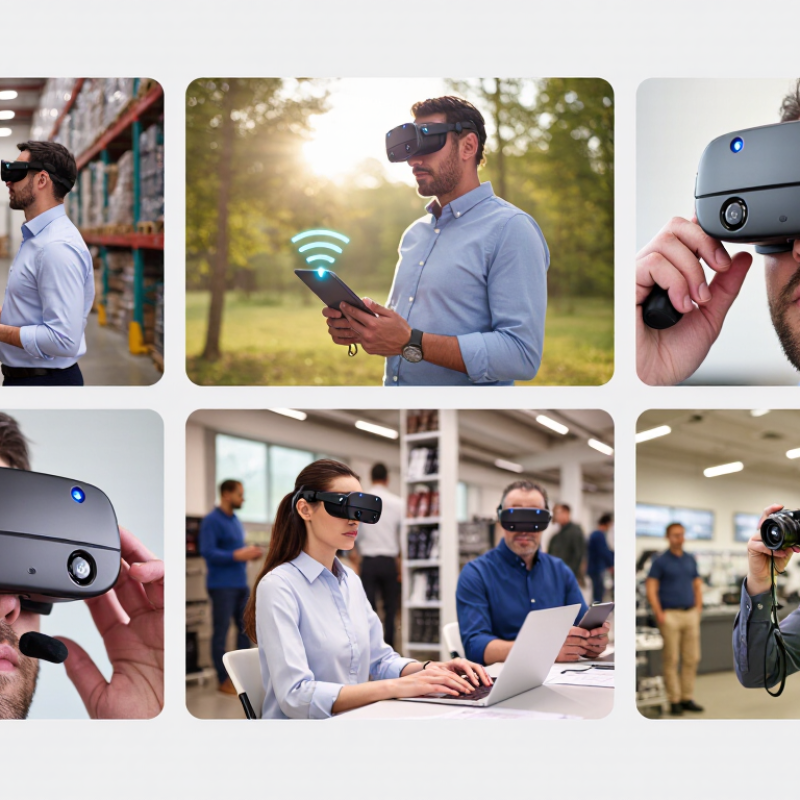
Before choosing Bluetooth smart glasses, define the work problem in detail. A warehouse team may need hands-free scanning, while field technicians may need remote visual guidance. These are different use cases, not interchangeable features. Record the user, task, environment, and expected result. For example, a technician could receive a repair checklist while keeping both hands on a control panel. The warehouse test might measure picking time, error rates, and headset removal frequency. Small details matter.
Industry forecasts show why this planning deserves attention. IDC’s Worldwide AR/VR Spending Guide projected global spending would reach 72.8 billion dollars in 2024. PwC’s Seeing is Believing report estimated augmented reality could add 1.5 trillion dollars to the global economy by 2030. Forecasts are not guarantees. They can also encourage rushed purchases. Your business needs evidence from its own workflow.
Test Bluetooth stability, microphone clarity, battery duration, and comfort during a complete shift. Ask workers whether the display blocks peripheral vision or creates distraction. It may. A pilot with ten users can reveal problems that a polished demonstration hides. Define success before testing, such as reducing a five-minute inspection to three minutes without increasing errors. Include privacy controls, device management, accessibility, and safe data handling. Do not collect more visual or voice data than the task requires. A useful device should fit the job, not force employees to redesign their habits.
For business use, compare audio quality in the places employees actually work. A quiet office can hide weak speakers. Test voice clarity near printers, roads, and busy production floors. Open-ear audio helps users hear nearby conversations and safety signals. However, sound may leak in quiet meeting rooms. Music quality matters less than clear calls and balanced volume.
Connectivity affects every daily task. Check Bluetooth stability across phones, laptops, and tablets. Fast pairing saves time during customer visits. A reliable connection should remain steady while users move between rooms.
Battery life also deserves careful testing. Some models perform well initially but weaken after frequent charging. I have found that small connection delays can interrupt instructions and make staff appear distracted.
Tips: Create a short workplace test before buying. Compare call clarity, microphone performance, pairing speed, and comfort during a two-hour shift. Let several employees try the glasses, not only managers. Different faces need different frame sizes. Hands-free controls should support simple actions, such as answering calls or recording quick notes. Avoid complicated gestures. They can fail when workers wear gloves or move quickly. No device is perfect. Review privacy settings, user training, and cleaning requirements before approving a wider rollout.
Choosing Bluetooth smart glasses for business starts with the employee, not the feature list. In a trial, ask staff to wear each pair for two hours, including calls and note-taking. Pressure behind the ears, nose marks, or a sliding frame can become serious by afternoon. Look for balanced weight, adjustable nose support, clear controls, and lenses that remain readable under office lighting. Durability needs practical testing. A frame should survive repeated folding, light rain, and a short desk-height drop, if the manufacturer permits that test. Check hinge quality, charging-port protection, warranty terms, and replacement procedures. Small details matter.
Battery life should match the workday, not an optimistic laboratory claim. Test streaming, calls, notifications, and standby time in the same week. Record the remaining charge after each shift. A charging case may help, but it adds weight to a pocket or desk. Privacy deserves equal attention. If the glasses include microphones or cameras, verify visible recording signals, physical controls, access permissions, and data-retention settings. Ask where voice or image data is processed and stored. Restrict use in meeting rooms when appropriate. My first checklist ignored comfort during long calls. That was a mistake. Staff feedback changed the evaluation. No product is perfect. A careful pilot reveals weaknesses before they affect clients, confidential work, or employee trust.
| Evaluation Dimension | Business-Use Target | Practical Data Point | How to Evaluate | Risk if Overlooked | Priority | Suggested Weight |
|---|---|---|---|---|---|---|
| Comfort | Suitable for extended wear during meetings, field work, training, or customer service. | Prefer a balanced frame with an approximate total weight of 30–50 g, adjustable nose support, and even pressure around the ears. | Wear the glasses continuously for at least 60–90 minutes. Check nose, temple, ear, and pressure-point comfort while walking and speaking. | Employee fatigue, lower adoption, frequent removal, and reduced productivity. | Critical | 20% |
| Optical Fit | Clear vision for employees who use prescription lenses or work in changing light conditions. | Confirm prescription-lens compatibility, lens size, bridge fit, glare control, and suitability for indoor and outdoor use. | Test with the employee’s prescription, safety eyewear, and typical workplace lighting. Verify whether replacement lenses are available. | Blurred vision, eye strain, poor task performance, and limited user eligibility. | High | 10% |
| Durability | Reliable operation during commuting, warehouse work, retail activity, and moderate outdoor use. | Look for a documented impact-resistance rating, reinforced hinges, scratch-resistant lenses, and an ingress rating such as IPX4 or higher where appropriate. | Review technical documentation and warranty terms. Inspect hinge strength, frame flexibility, lens coating, charging-port protection, and replacement-part availability. | Breakage, water damage, downtime, higher replacement costs, and increased total cost of ownership. | Critical | 15% |
| Battery Life | Complete a normal work shift without frequent charging or unexpected interruption. | For audio and call-focused use, target approximately 6–8 hours of stated active use; verify actual runtime with calls, notifications, and higher volume. | Run a full-shift pilot using the intended phone, call volume, notification frequency, and environmental conditions. Measure charging time and standby drain. | Interrupted calls, missed notifications, charging inconvenience, and poor workforce acceptance. | Critical | 15% |
| Charging and Fleet Management | Simple deployment across multiple employees and work locations. | Assess charging time, connector type, charging-case capacity, battery replacement options, and availability of device-management controls. | Test whether several units can be charged, labeled, updated, and reassigned without relying on a single employee’s personal account. | Lost devices, inconsistent charging, administrative overhead, and deployment delays. | High | 10% |
| Privacy and Recording Controls | Prevent unauthorized recording and protect employees, customers, visitors, and confidential information. | Require a visible recording indicator, clear user controls, microphone mute options, local policy support, and transparent data-handling documentation. | Verify whether recording can be disabled, whether the indicator can be obscured, where recordings are stored, who can access them, and how data is deleted. | Privacy complaints, regulatory exposure, loss of trust, and unauthorized disclosure of sensitive information. | Critical | 15% |
| Bluetooth Connectivity | Stable audio and call performance with company-approved smartphones and computers. | Prefer current Bluetooth support, reliable multipoint behavior where needed, hands-free calling support, and a practical indoor range of about 10 m in typical conditions. | Test pairing, reconnection, call handover, multipoint switching, interference, and performance through walls in the actual workplace. | Dropped calls, repeated pairing, support tickets, and reduced communication efficiency. | High | 10% |
| Audio and Microphone Quality | Understandable calls and notifications without excessive sound leakage. | Evaluate voice clarity, wind-noise reduction, speaker leakage, maximum comfortable volume, and performance in open offices or field environments. | Conduct calls in quiet, busy, and outdoor locations. Ask both the wearer and the other caller to rate clarity on a 1–5 scale. | Miscommunication, repeated calls, customer dissatisfaction, and reduced usability in noisy environments. | High | 10% |
| Security and Software Support | Maintain secure operation throughout the device lifecycle. | Check firmware-update support, account security, mobile operating-system compatibility, encryption practices, permission controls, and stated support period. | Request security documentation and test updates, device reset, account removal, permission management, and employee offboarding procedures. | Unpatched vulnerabilities, unauthorized access, compatibility failures, and early replacement. | Critical | 5% |
Note: The numerical ranges are practical screening benchmarks rather than universal product specifications. Actual performance depends on frame design, software settings, call volume, temperature, signal interference, and workplace conditions. Validate all figures through a business pilot before purchasing.
Choosing Bluetooth smart glasses for business starts with compatibility. In pilot projects, I test pairing with company phones, tablets, and laptops before approving any purchase. The glasses should support current Bluetooth standards and maintain stable connections in busy offices or warehouses. Check operating systems, device-management platforms, voice controls, and required workplace applications. Small gaps matter. A useful feature is irrelevant if employees cannot access it securely.
Management tools deserve equal attention. Administrators need a central console for enrollment, firmware updates, permissions, and remote lock or deletion functions. Look for audit logs showing who changed settings and when. Role-based access can limit recording, notifications, or application use by job responsibility. During testing, I ask staff to complete ordinary tasks, such as scanning a shelf while receiving instructions. Their feedback reveals friction that a product sheet hides. That practical check is essential.
Data security requires more than a password. Confirm encryption during Bluetooth transmission and storage, secure authentication, patch support, and clear data-retention controls. Ask where captured images, audio, and usage records are processed. Verify whether administrators can delete data and export compliance records. Security documentation should be specific, current, and independently reviewable. I would not treat every claimed safeguard as proven. A small pilot, documented risks, and a recovery plan can expose weaknesses before deployment. That step may feel slow. It protects trust.
Choosing Bluetooth smart glasses for business requires more than comparing retail prices.
In pilot projects, the lowest quote often hides setup fees, charging cases, training, and replacement units. Ask for a complete three-year cost model. Include device prices, subscription charges, repairs, accessories, and employee time.
A clear spreadsheet exposes surprises. It also supports a more credible purchasing decision.
Support can determine whether a useful tool becomes an expensive shelf item.
Request response times for device faults, software errors, and account access. Check whether support is available during your operating hours. Ask how firmware updates are tested before deployment.
Confirm repair locations, spare-part availability, privacy controls, and data-handling procedures. A written service agreement is stronger than friendly promises.
Support matters. Short demonstrations are not enough.
Long-term value depends on measurable work, not impressive specifications.
Track training minutes, task completion time, error rates, and battery performance across real shifts. An operations team may save ten minutes per task, yet lose those gains through frequent charging.
Our early estimate was too optimistic because we tested indoors for only two days. That mistake mattered.
Re-test in noisy areas, changing light, and normal workloads. Leave room for worker feedback, accessibility needs, and future software costs. A device that fits today’s workflow may require costly changes next year.